BLUERABBIT keeps a running list of what has happened to you and what you've done, and a bell that counts only what needs your attention. It's on in every adventure.
Where the Bell Is
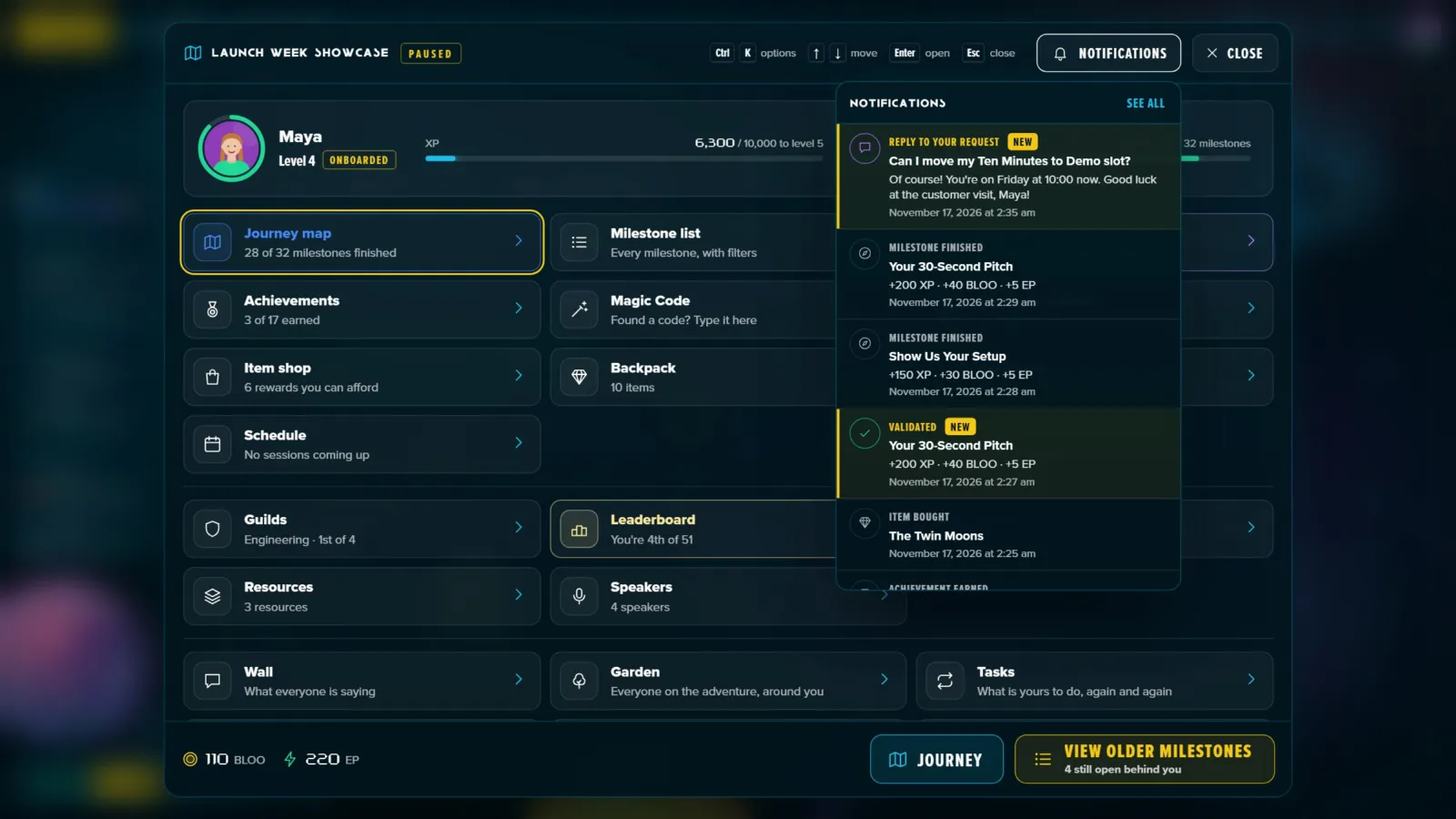
- New view — at the top of the menu, beside Close. While the menu is closed, the yellow Options button carries the same count, so you can see something is waiting without opening anything.
- Classic view — in the top bar, beside Report a bug.
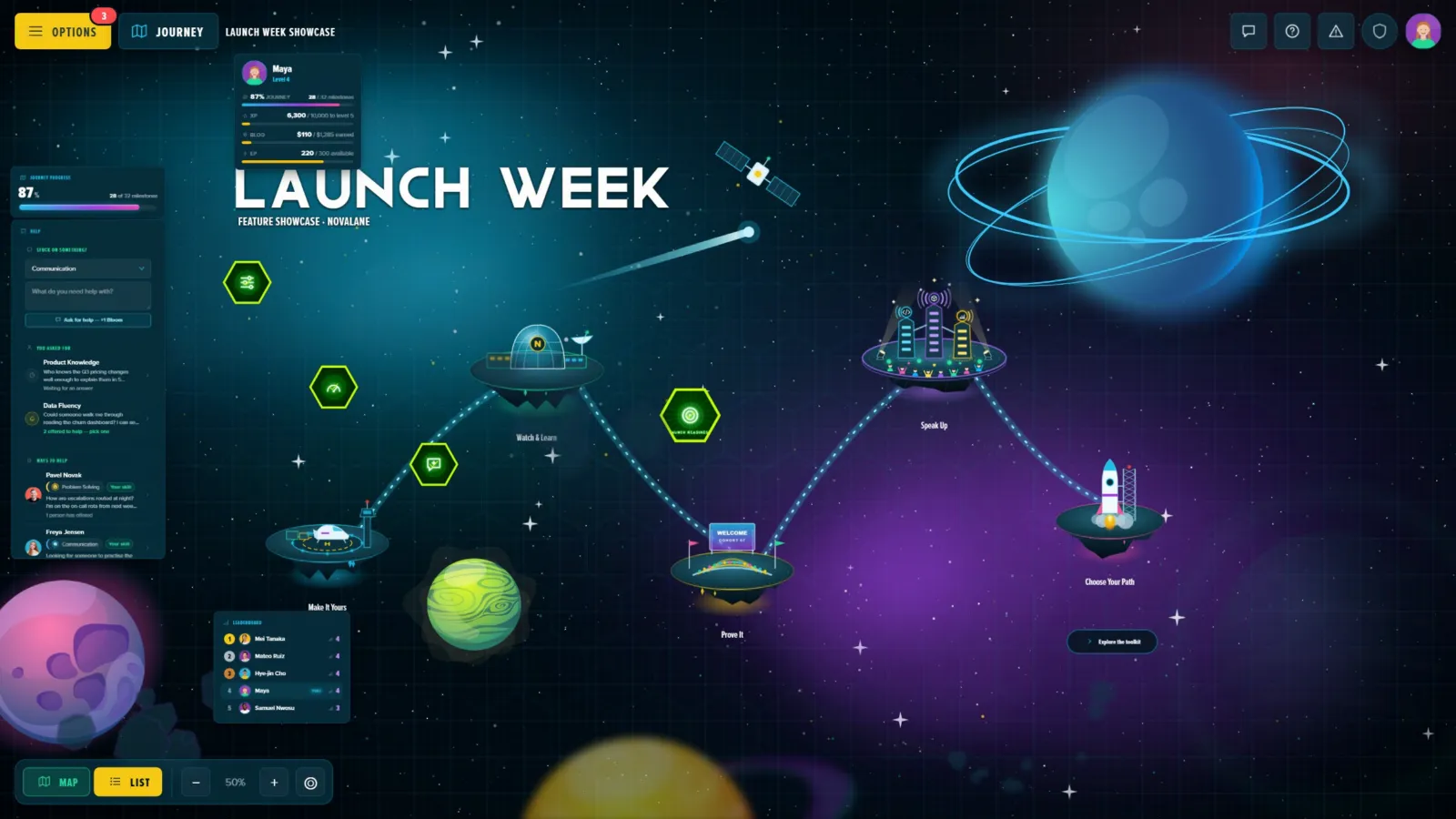
Press the bell to open a short panel with the latest items. Opening it clears the count. See all takes you to the full Notifications page.
What Raises the Count
Only things BLUERABBIT sends you that need you to look:
- A mark on your work — Marked 75% or Validated, with the milestone and what the mark paid you in your adventure's own currencies ("+300 XP · +50 BLOO").
- A hand-in sent back — Sent back, with your Game Master's note. Open it to hand it in again.
- A reply to one of your requests — Reply to your request, with the answer, or Your request was closed.
- An email sent to you — Email sent to you, with its subject.
- For an Adventure's owner, its Game Masters and the platform's administrators: an A.I. check that couldn't run — The A.I. check could not run, with the milestone and step, what failed and how many answers it affected. It opens just those answers on the Milestone Review. See Grading & AI-Assisted Feedback.
What's Listed Quietly
Your own activity is listed too, but it never adds to the count: you were there when it happened. That includes milestones you finished and challenges you passed (with what they paid, or Waiting for a mark), items you bought and achievements you earned, and, in an Adventure with a lottery, a lottery you won (You won a lottery). A celebration you already saw isn't repeated as a notification, so an item may simply point you back to something you've already seen.
The Notifications Page
The full page lists everything, newest first, 25 to a page with Newer and Older. Two filters narrow it down:
- Adventure — one of your adventures, or All adventures.
- Show — Everything, Needs your attention or My activity.
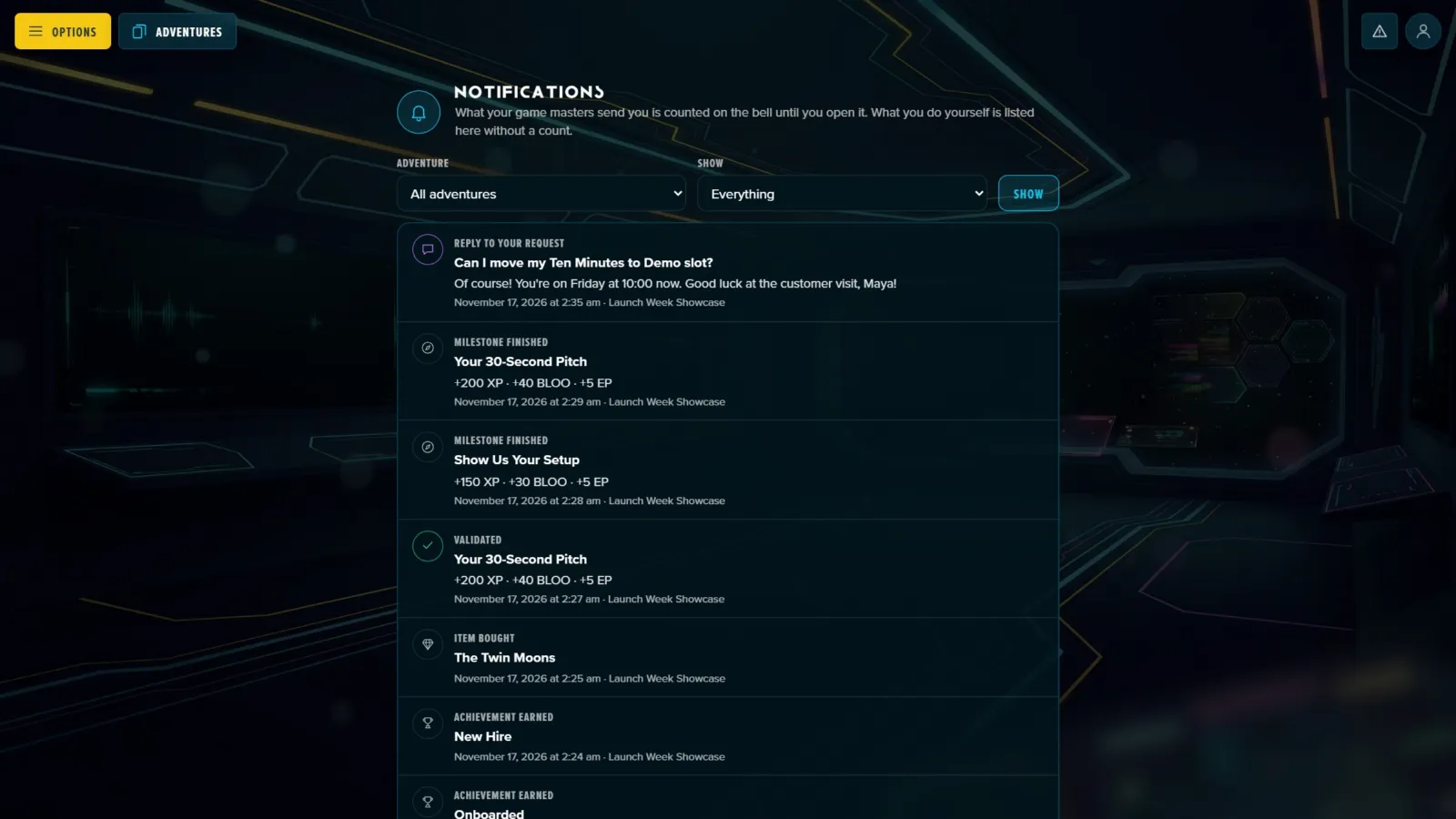
Inside an adventure, the bell shows that adventure's items. Emails sent to you are listed in every adventure, because an email isn't tied to one. Between adventures, on pages like My Adventures, the bell shows everything. Opening the page marks as read what it lists that needed your attention. Most items link to what they're about, such as the milestone that was marked or your requests.
Notifications and Emails
The bell doesn't replace email. A Game Master's campaign or an automatic reminder still arrives in your inbox, and it's also listed on the bell so you have one place to look. An adventure's automatic emails can be turned off on My Account. Where the adventure has a lottery, that also stops its lottery-day emails, and a lottery you win still shows here.
Related
- Finding Your Way Around — the two views and where everything sits
- Getting Help — sending requests and reading the replies
- The Journal (My Work) — your marks and your activity log